

Top Features of Tally Every Business Owner Should Know

Running a business involves much more than selling products or services. A business owner needs to track income, expenses, purchases, sales, stock, taxes, employee payments, bank transactions, and outstanding amounts. When these activities are handled manually, even a small mistake can create confusion in financial records. This is where accounting software such as TallyPrime can become useful. TallyPrime brings accounting, inventory, taxation, banking, payroll, invoicing, and business reports into one system. According to Tally’s current product documentation, the software supports accounting, inventory, payroll, statutory compliance, banking, reporting, remote access, and several data-management options.
Table of Contents
What Is TallyPrime?
TallyPrime is business management and accounting software designed to help organizations record transactions, manage accounts, handle inventory, process payroll, manage taxation, and generate business reports. Instead of maintaining separate systems for every financial activity, a business can connect many of these activities inside TallyPrime. Its current feature set covers accounting, inventory, sales, purchases, banking, taxation, payroll, reporting, and data management.
The software is useful for different types of businesses because features can be enabled according to business requirements. For example, a trading company may focus heavily on inventory and sales, while a service business may mainly need accounting, invoicing, receivables, and tax management. TallyPrime allows businesses to configure features through company settings rather than forcing every business to use every available module.
Why TallyPrime Matters for Modern Businesses


A good accounting system should do more than store numbers. It should help an owner understand what is happening inside the business. How much money is coming in? Which customers have outstanding payments? What stock is available? How much tax is payable? Which expenses are increasing? These are practical questions that business owners face regularly.
TallyPrime is designed to provide reports based on recorded transactions, allowing owners and accountants to review financial information without preparing every report manually. Tally’s documentation also highlights real-time reporting, accounting controls, inventory management, banking utilities, and compliance tools as important parts of the platform.
Accounting and Bookkeeping
Accounting is one of the most important features of TallyPrime. Businesses can record sales, purchases, receipts, payments, journals, and other financial transactions while maintaining organized books of accounts. The system supports features such as ledgers, bill-wise details, cost centres, interest calculations, and different voucher types.
For a business owner, the main advantage is having financial information in one place. Instead of searching through multiple spreadsheets and paper records, the owner or accountant can use Tally reports to review transactions and balances. This can make regular bookkeeping more structured and reduce the amount of repetitive manual work involved in preparing financial information.
Real-Time Financial Records
One useful aspect of TallyPrime is its ability to generate reports from the transactions entered into the system. When a transaction is recorded correctly, related accounting reports can reflect that information. This gives business owners a clearer view of their current financial position.
For example, when a customer purchase is recorded, the transaction can affect sales, receivables, inventory, and other related accounts depending on how the transaction is configured. This connected approach is useful because business information does not have to remain in separate files. Accurate data entry remains important, of course, because software can only produce reliable reports from reliable information.
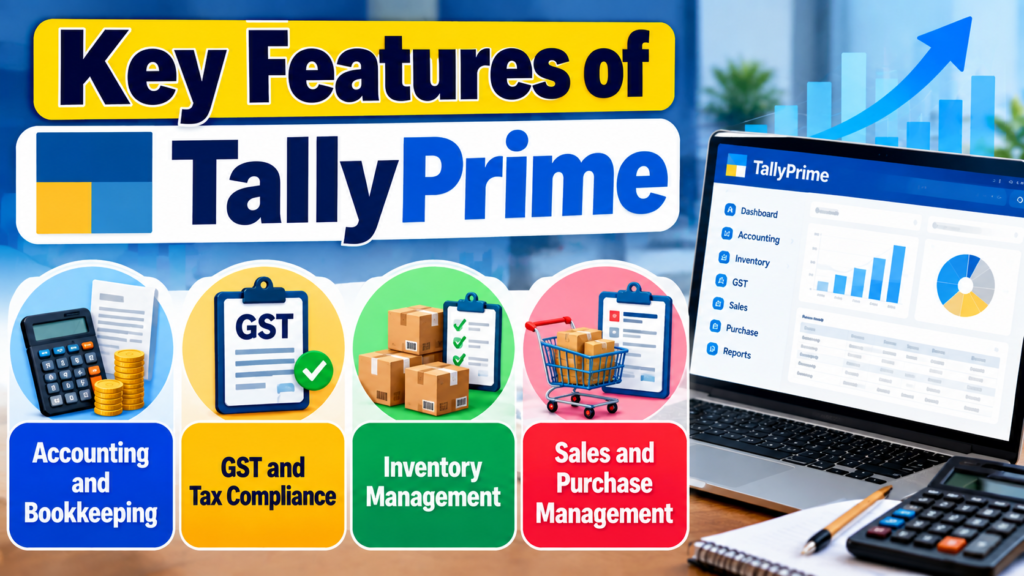
Key Features of TallyPrime
Accounting and Bookkeeping
TallyPrime helps businesses record sales, purchases, payments, receipts, expenses, and other financial transactions in an organized way.
GST and Tax Compliance
Businesses can manage GST transactions, tax calculations, GST invoices, and compliance-related reports, making tax management easier.
Inventory Management
TallyPrime allows businesses to track stock levels, product movement, batches, and multiple storage locations.
Sales and Purchase Management
Businesses can manage sales and purchase orders, invoices, customer accounts, supplier accounts, and related transactions from one system.
GST and Tax Compliance
For businesses operating in India, GST compliance is a major part of accounting. TallyPrime provides tools for GST-related transactions, tax calculations, invoicing, reports, and compliance workflows. Tally’s current documentation also includes GST, TDS, TCS, and other taxation capabilities within its compliance features.
The software also supports GST-related validation and connected workflows. Current TallyPrime documentation describes online GSTIN/UIN and HSN/SAC validation, as well as connected e-Way Bill capabilities. These features can help reduce manual checking when businesses process a large number of transactions.
GST Invoicing and Tax Reports
A properly prepared invoice is important for both customers and tax records. TallyPrime can help businesses create invoices with relevant tax details and generate reports needed for accounting and compliance activities. Business owners can also configure invoice formats according to their requirements.
The important point is that business owners should not treat software as a replacement for professional tax advice. Tax rules can change, and businesses should keep their software updated and ensure that transactions are recorded according to applicable regulations.
Inventory Management
For businesses that buy, sell, manufacture, or store products, inventory management is one of the most valuable Tally features. TallyPrime supports stock tracking, godowns, batches, stock movement, order processing, and inventory valuation. It can connect inventory transactions with accounting records so that businesses can view financial and stock information together.
Imagine a retailer with hundreds of products. Maintaining every item in separate spreadsheets can become difficult as sales and purchases increase. With inventory features, the business can organize stock items, monitor movements, and generate reports that provide a clearer picture of available inventory.
Stock Tracking and Valuation
Stock tracking helps businesses understand what they have, what has been sold, and what may need replenishment. TallyPrime also supports godown and batch-based inventory management, which can be useful for businesses with multiple storage locations or products requiring batch tracking.
Inventory reports can also help owners identify slow-moving products, stock balances, and other operational information. This can support purchasing decisions and reduce the risk of ordering products without understanding current stock levels.
Sales and Purchase Management
Sales and purchasing are at the center of many businesses. TallyPrime provides tools for recording sales and purchase transactions, tracking orders, managing customer and supplier accounts, and connecting these transactions with accounting and inventory records.
For example, a purchase transaction can update supplier balances and inventory, while a sales transaction can affect customer balances, sales figures, and stock. Having these connected records can save time because the same transaction does not need to be manually entered into several separate systems.
Invoicing and Billing
Invoicing is another important Tally Prime feature. Businesses can create invoices for products and services while including relevant customer, item, tax, payment, and business details. The latest TallyPrime 7.1 update added professionally designed invoice templates and personalization options, including logos, watermarks, header and footer images, fonts, colors, and terms and conditions.
This is useful for businesses that want invoices to look professional and consistent with their brand. A well-designed invoice is not simply a payment document; it also communicates important information to customers and supports record keeping.
Custom Invoice Templates
Invoice customization can be particularly helpful for growing businesses. Instead of using the same basic format for every situation, businesses can personalize invoice layouts based on their needs.
TallyPrime 7.1 introduced ready-to-use templates and additional personalization options. This allows businesses to include branding elements while keeping important invoice information clearly visible.
Key Benefits for Small and Growing Businesses
The biggest advantage of using TallyPrime is that several business activities can be managed from one connected system. Accounting, inventory, sales, purchases, payroll, taxation, banking, and reporting can work together instead of being maintained as completely separate records. This can reduce repeated data entry and give owners a broader view of business performance.

For a small business, this can mean better control without immediately adopting many different software systems. For a growing company, it can provide a foundation that can be expanded with additional features, users, integrations, or customizations as requirements change.
Business Need | Useful TallyPrime Feature |
Bookkeeping | Accounting and vouchers |
GST management | GST compliance and reports |
Product tracking | Inventory management |
Customer billing | Invoicing |
Supplier management | Purchase and payable tracking |
Bank checking | Bank reconciliation |
Employee payments | Payroll |
Business review | Financial and management reports |
Data migration | Excel import |
Record control | Edit Log and security |
Remote working | Browser reports and remote access |
Invoice automation | Docs by Ira |
Banking and Bank Reconciliation
Banking is another area where TallyPrime can save time. The software provides banking utilities and bank reconciliation capabilities that help businesses compare accounting records with bank transactions. Current Tally documentation describes enhanced bank reconciliation with smart suggestions and automated accounting capabilities for supported workflows.
Bank reconciliation is important because the balance shown in accounting records may differ from the bank statement because of timing differences, pending transactions, bank charges, or recording mistakes. Regular reconciliation helps businesses identify such differences instead of discovering them much later.
TallyPrime also supports importing bank statements and creating payment or receipt vouchers through supported automated banking workflows. This can reduce repetitive data entry for businesses that process many banking transactions.
Cash Flow and Receivables Management
A profitable business can still face cash-flow problems if customers do not pay on time. TallyPrime provides tools for managing receivables, payables, outstanding amounts, and cash-related information. Bill-wise tracking can help businesses understand which customer invoices are pending and which supplier payments need attention.
This feature becomes especially useful when a company has many customers and suppliers. Instead of maintaining a separate spreadsheet for every outstanding amount, business owners can use reports to review pending balances and payment-related information. Better visibility can help management plan collections and payments more carefully.
Also Read
Why More People Are Choosing Breeze for Everyday Convenience
Why Mechanical Keyboard Enthusiasts Are Exploring AKKO Products
A Beginner’s Guide to Navigating Products and Deals on Banggood
The Ultimate Guide to Choosing Ships in World Of Warships
Why Tech Enthusiasts Are Exploring Deals on GeekBuying
Payroll Management
If a business has employees, payroll can quickly become a regular administrative task. TallyPrime provides payroll features for employee records, salary structures, attendance, pay processing, payslips, and statutory reports. Tally’s payroll documentation includes support for grouping employees by department, location, designation, or job function.
Businesses can also define different attendance and production types, depending on their payroll requirements. The system supports payroll-related statutory reporting for areas such as PF, ESI, professional tax, gratuity, and income tax.
Employee Attendance and Salary Processing
Payroll becomes easier to manage when attendance and salary information are connected. For example, businesses may need to account for paid leave, unpaid leave, production-based work, or other attendance categories. TallyPrime provides flexible attendance and payroll options to handle such requirements.
For business owners, this means employee-related financial information can be managed alongside other accounting records. It can also make it easier to generate salary reports and maintain consistent payroll processes.
Business Reports and Analysis
Reports are where accounting data becomes useful for decision-making. TallyPrime provides financial and business reports that can help owners understand sales, purchases, expenses, cash, receivables, payables, inventory, and other areas. The software’s accounting module includes financial reports and options for checking accounting accuracy.
A business owner does not always need complicated analytics software to answer basic business questions. Sometimes a clear report showing outstanding payments or monthly sales can be enough to identify an issue. Tally’s reporting capabilities can therefore support routine business reviews and financial planning.
Remote Access and Browser Reports
Modern business owners are not always sitting in the office. TallyPrime provides options for remote access and browser-based report viewing. Tally’s documentation states that users can access reports through mobile-responsive browser interfaces and use remote access capabilities to stay connected with company data.
This can be useful when an owner is traveling or working from another location. Instead of waiting for someone in the office to prepare every basic report, authorized users can access supported information remotely.
AI-Powered Invoice Processing
One of the newer developments in TallyPrime is TallyIra, which brings AI-assisted capabilities into accounting workflows. Tally’s current download page highlights Docs by Ira, an AI-powered invoice processor that can turn invoices into TallyPrime entries by scanning or uploading documents. Tally states that the feature can reduce manual effort and says it can save up to 80% of processing time in the relevant workflow.
This type of automation can be useful for businesses that receive many supplier invoices. Instead of manually entering every invoice detail, users can use document processing to speed up the initial data-entry process. Human review remains important, especially for financial transactions, because automated processing should be checked before final records are accepted.
TallyPrime Features Comparison
The following table gives a simple view of the main areas covered by Tally Prime. Feature availability can depend on the product edition, configuration, release, country, and business requirements, so businesses should verify the exact features before purchasing or upgrading.
Feature Area | What It Helps With | Business Use |
Accounting | Books, ledgers, vouchers | Financial record keeping |
Inventory | Stock, batches, godowns | Product control |
GST | Tax transactions and compliance | Indian tax management |
Invoicing | Sales and service invoices | Customer billing |
Banking | Reconciliation and payments | Bank management |
Payroll | Salaries and attendance | Employee management |
Reports | Financial and business analysis | Decision support |
Security | User controls and audit trail | Data protection |
Remote Access | Reports and company access | Flexible working |
Data Import | Excel and other data workflows | Faster migration |
AI Processing | Invoice data processing | Less manual entry |
Conclusion
TallyPrime has developed far beyond a simple bookkeeping application. Its current capabilities cover accounting, inventory, GST and taxation, invoicing, sales, purchases, banking, payroll, reporting, security, data management, and remote access. Recent releases have also introduced improvements such as personalized invoice templates, enhanced compliance workflows, connected banking capabilities, and AI-supported invoice processing.
For business owners, the most important step is to understand which features match their actual needs. A small retailer may benefit most from inventory and billing, while a service company may focus more on accounting, receivables, payroll, and reporting. As the business grows, banking automation, data controls, customization, and remote access can become increasingly useful.
Frequently Asked Questions
TallyPrime is used for business accounting and management activities such as bookkeeping, invoicing, inventory, taxation, banking, payroll, and reporting. Businesses can configure the features they need according to their operations.
Yes. TallyPrime provides inventory capabilities including stock tracking, godowns, batches, stock movement, order processing, and inventory-related reporting.
Yes. TallyPrime includes GST-related accounting and compliance features for businesses in India. It also provides tools such as GSTIN/UIN and HSN/SAC validation and connected e-Way Bill workflows.
Yes. TallyPrime supports employee records, attendance, salary processing, payslips, and statutory payroll reports covering areas such as PF, ESI, professional tax, and income tax.
Recent TallyPrime updates include personalized invoice templates, improved GST and IMS workflows, connected banking improvements, secure OAuth-based email, and AI-assisted invoice processing through Docs by Ira.
Table of Contents
Popular Posts

-
 Affordable Technical SEO Audit for Small Business: A Complete Guide26 Jun 2025 Blog
 -
 How to Get an Affordable Technical SEO Audit for Small Business27 Jun 2025 Blog
 -
 Local SEO Audit Checklist for Startups: A Beginner’s Guide28 Jun 2025 Blog
 -
 The Ultimate Local SEO Audit Checklist for Startups28 Jun 2025 Blog
 -
 Top On-Page SEO Audit Steps for Service Websites Every Business Should Know29 Jun 2025 Blog
 -
 The Impact of On-Page SEO Audit Steps for Service Websites on UX01 Jul 2025 Blog
 -
 Technical SEO for WordPress: The Ultimate Beginner’s Guide01 Jul 2025 Blog
 -
 Technical Mobile SEO Audit Tips for Developers02 Jul 2025 Blog
Related Post