


A Beginner’s Guide to Navigating Products and Deals on Banggood

Online shopping can sometimes feel like walking through a huge digital marketplace where every shelf is packed with products, discounts, coupons, and special offers. Banggood is one such global shopping platform, with products covering areas such as electronics, tools, home products, clothing, sports equipment, toys, automobiles, and hobbies. Banggood says it was founded in 2006 and currently serves customers across many international markets, with a large product catalog and global warehouse network.
For a beginner, the biggest challenge is not simply finding a product. The real challenge is knowing how to compare products, understand shipping, check discounts, use coupons, read reviews, and calculate the actual cost before placing an order. A product showing 40% off may look exciting, but the final value depends on its specifications, shipping charges, coupon conditions, taxes, delivery time, and return terms. This guide explains the process in simple language so you can move around Banggood with more confidence and make better-informed shopping decisions.
Table of Contents
What Is Banggood?
Banggood is a global direct-to-consumer online shopping platform that sells products across several categories. According to Banggood’s current company information, the platform was founded in Guangzhou in 2006 and has expanded its product range to areas including consumer electronics, home appliances, tools, sports products, clothing, and other categories. Banggood states that it works with more than 100,000 suppliers and offers products across up to 30 categories.
The platform is particularly useful for shoppers who like discovering gadgets, accessories, hobby equipment, tools, electronics, and other products that may not always be easy to find through traditional local stores. Its website also provides shopping features such as product search, wish lists, coupons, order management, and different shipping options. Banggood currently promotes app-based benefits as well, including an advertised US$3 app coupon on its website.
Understanding Banggood’s Online Marketplace
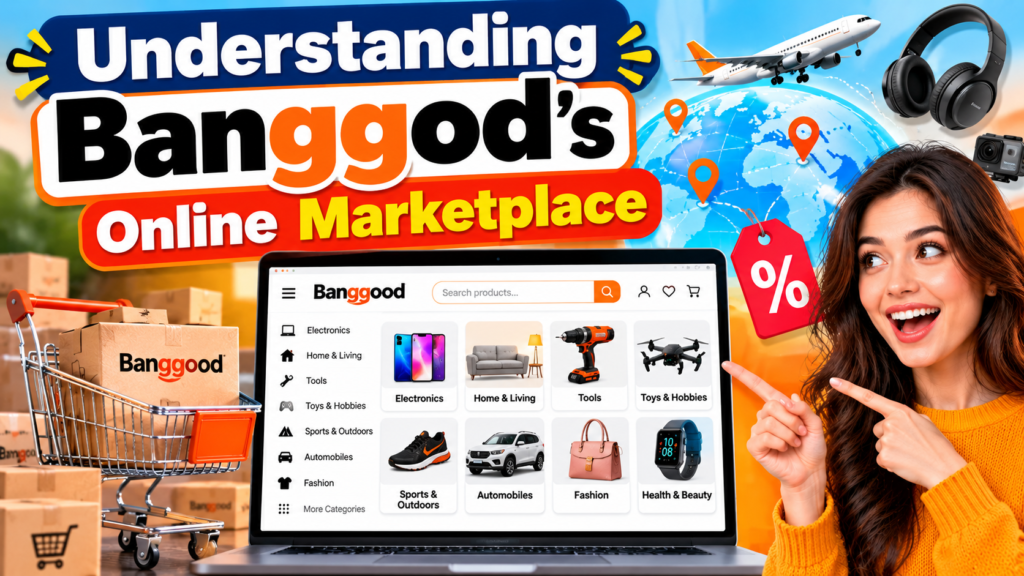

The easiest way to understand Banggood is to think of it as a large online shopping center. Instead of visiting different stores for electronics, tools, hobby products, clothing, or home accessories, you can explore these categories from one platform. Banggood also operates international warehouses, and the company currently states that it has 37 overseas warehouses, although warehouse availability varies by product and destination.
This international structure also means that shopping can work differently from buying something from a nearby store. A product might ship from a warehouse in another country, while another product may have a closer warehouse option. Delivery time, shipping cost, available payment methods, and return arrangements can therefore vary from one item to another. Understanding these differences is one of the most important skills for a new Banggood shopper.
How to Create a Banggood Account
Creating an account can make shopping more convenient because you can manage orders, save products, view coupons, and maintain a shopping history. Banggood’s website currently provides account functions including My Orders, My Wishlist, My Coupons, and other customer tools.
When creating an account, use an email address that you regularly check. This is important because order confirmations, shipping information, account notices, and customer service communication may be connected to your account. Once the account is ready, take a few minutes to explore the coupon area and account dashboard before making your first purchase. Doing this early can help you notice available promotions rather than discovering them after completing an order.
Setting Up Your Shopping Preferences
Your shopping experience becomes easier when you know what you are looking for. Instead of opening dozens of random deals, create a simple list of requirements. For example, if you need a wireless mouse, decide whether you care about Bluetooth, battery life, silent clicks, gaming features, or a particular size.
This simple habit can prevent discount-driven shopping, where a large percentage discount makes a product appear more attractive than it really is. A good deal is not simply a product with a large discount number. It is a product that provides the features you actually need at a reasonable final cost.
Why Do Shoppers Use Banggood?
One major reason people visit Banggood is the wide range of products and frequent promotional offers. The platform regularly highlights discounts, coupons, clearance items, seasonal promotions, and category-specific deals. Its current website includes sections for free coupons, shopping promotions, and special deals, while its clearance center includes price-based sections such as $1.99, $3.99, $5.99, $7.99, and $9.99 deals.
Another attraction is product variety. A shopper interested in mechanical tools may also find electronic accessories, DIY equipment, RC products, smart devices, outdoor gear, or home products without leaving the platform. However, variety should not automatically mean that every product is suitable for every buyer. The better approach is to use the platform as a place for product discovery and comparison, then carefully check specifications, reviews, seller information where applicable, delivery details, and total price before ordering.
Product Categories You Can Explore
Banggood’s current shopping categories include Toys & Hobbies, Home & Living, Automobiles & Motorcycles, Phones & Accessories, Computer & Office, Sports & Outdoors, Health & Beauty, Bags & Shoes, Jewelry & Watches, and Lights & Lighting, among others.
For beginners, starting with a specific category is usually easier than browsing the entire website. If you need a keyboard, search within computer accessories. If you are looking for a drill or workshop accessory, explore tools. If you enjoy RC hobbies, look through the relevant hobby section. A focused search reduces the number of irrelevant products and makes comparison much easier.
How to Search for Products
Banggood’s search function is one of the most useful tools for beginners. Start with a clear product name rather than a very broad term. For example, instead of searching for “electronics,” search for “USB-C hub,” “mechanical keyboard,” or another specific product type.
Once you find several options, avoid immediately choosing the cheapest one. Open the product pages and compare specifications, available versions, customer reviews, shipping information, and final prices. This process may take a few extra minutes, but it can save you from ordering a product that looks good in a search result but does not match your actual requirements.
Using Filters and Sorting Tools
Filters are useful when there are many similar products. Depending on the category, you may be able to narrow products according to price, category, availability, ratings, or other product characteristics. Sorting can also help you view products according to price or popularity.
However, sorting by lowest price should be used carefully. The cheapest product may have different specifications, accessories, warranty conditions, or shipping costs. A slightly more expensive product could include additional accessories or have better customer feedback. Think of filters as a flashlight: they help you see the choices more clearly, but you still need to inspect the product yourself.
How to Read a Banggood Product Page
A product page contains much more information than the product title and promotional price. Before buying, check the product name, specifications, images, available versions, price, discount information, shipping method, estimated delivery, stock status, and customer reviews.
Pay close attention to product variations. A listing may show several versions with different storage capacities, colors, sizes, accessories, or specifications. The displayed starting price may apply only to the least expensive version. Always select the exact version you want and check the price again before adding it to your cart.
It is also useful to read the product description carefully. Look for measurements, compatibility information, included accessories, power requirements, materials, and technical specifications. For electronics, compatibility can be especially important. A low price is not useful if a charger, cable, device, or accessory does not work with your existing equipment.
Understanding Product Reviews and Ratings
Customer reviews can provide practical information that a product description cannot. Look for reviews that discuss actual usage, build quality, performance, packaging, delivery condition, and product accuracy. A review that simply says “good product” gives you less information than one that explains how the product performed after use.
Try to read several reviews instead of relying on one comment. Pay attention to repeated patterns. If multiple buyers mention the same issue, it may deserve consideration. At the same time, remember that individual experiences can differ because of product versions, shipping destinations, usage conditions, and expectations.
Photos or videos uploaded by customers can also be useful when available. They may help you understand the real appearance or size of a product better than promotional images. The goal is not to find a perfect review score but to gather enough information to understand what you are actually buying.
Finding Deals and Discounts
Banggood regularly promotes sales, clearance offers, coupons, and limited-time discounts. Its current clearance section includes products under different price ranges and promotional categories. The platform also maintains a coupon section where shoppers can look for available offers.
When comparing a deal, look at the final payable amount instead of focusing only on the percentage discount. A product marked “50% off” is not automatically cheaper than another product with a smaller discount. Compare the original price shown, current selling price, coupon, shipping cost, and any other applicable charges.
Exploring Clearance and Limited-Time Offers
Clearance sections can be useful for shoppers looking for lower prices, but they often require more attention. Banggood currently lists clearance products across several price bands, while some clearance coupons have category restrictions.
This means you should always check the conditions attached to the offer. Some coupons may not apply to certain categories, and promotional stock can change quickly. If a deal looks attractive, open the product page and confirm the applicable coupon and final price before making your decision.
Smart Ways to Save Money on Banggood
Saving money on Banggood is not simply about searching for the largest discount. A smarter approach is to combine price comparison, coupons, promotions, clearance deals, and sensible timing. Check the coupon area before checkout and look at current promotional pages. Banggood’s website currently highlights sales, free coupons, and other promotional sections, while its blog publishes current deal and shopping content.
It can also help to avoid impulse purchases. Add an item to your wishlist or cart, compare it with similar products, and then decide whether the final price represents good value for your needs. When buying several items, check whether an order-level coupon or shipping promotion changes the total cost.
Remember that saving money means reducing unnecessary spending, not simply buying something because it is discounted. The best shopping habit is to start with a need, find suitable products, compare them, and then use available promotions to reduce the final cost.
How Banggood Coupons Work
Coupons can reduce your purchase cost, but each coupon may have its own conditions. These can include minimum order values, product restrictions, validity periods, or limits on how many coupons can be used in an order.
Banggood currently promotes app-related coupons and maintains a dedicated coupon section. The platform also offers promotional coupon packages during certain campaigns. Because coupon rules can change, always read the conditions displayed at the time you shop.
A simple strategy is to check the coupon section before checkout rather than after placing an order. Add the product to your cart, apply eligible coupons, and then compare the final price. This gives you a clearer picture of your actual savings.
Understanding VIP and Member Benefits
Banggood also has a VIP system with member-related benefits. Its current VIP page describes exclusive prices, points deals, monthly allowances, and coupons for eligible membership levels. The platform states that some allowance coupons require points and that certain coupons have short validity periods.
If you shop regularly, it can be useful to understand how these benefits work. But occasional shoppers should not assume that membership automatically makes every purchase cheaper. Look at the actual benefit you can use, the points required, and the conditions attached to the offer.
Also Read
How to Make the Most of Every Drop in Your Daily Routine
Why Tech Enthusiasts Are Exploring Deals on GeekBuying
The Ultimate Guide to Getting Started With Instacart – Shoppers
Understanding How Businesses Use Cede in Modern Financial Strategies
What Makes Liveit.se a Useful Platform for Finding New Experiences
Comparing Products Before Buying
Product comparison is one of the best habits a beginner can develop. Instead of selecting the first attractive listing, place two or three similar products side by side and compare their important specifications.
Comparison Factor | What to Check |
Price | Final product price after coupons |
Specifications | Size, capacity, power, materials, features |
Reviews | Ratings and detailed customer experiences |
Shipping | Cost, method, and estimated delivery |
Availability | Stock and warehouse location |
Accessories | What is included in the package |
Returns | Applicable return and warranty conditions |
Compatibility | Whether the product works with your setup |
This approach helps you separate a real value deal from a product that simply has a large discount label. A few minutes of comparison can make the shopping process much more predictable.
Understanding Banggood Shipping Options
Shipping is an important part of international online shopping. Delivery time can depend on the product, destination, warehouse, shipping method, and logistics conditions. Banggood says it operates multiple global warehouses and provides estimated delivery information on product pages.
Banggood also advertises free-shipping promotions for qualifying orders and destinations. For example, its current free-shipping page describes a US$49.99 threshold for certain supported U.S. orders, while also listing category and destination exceptions. This illustrates why shoppers should check the shipping conditions for their own country instead of assuming that a promotion applies everywhere.
Checking Warehouses and Delivery Estimates
Warehouse information can influence delivery speed and shipping cost. If a product is available from a warehouse closer to your destination, it may have a different delivery estimate than the same product shipped internationally.
Before ordering, check the available shipping options shown on the product page. Look at the estimated delivery window and the shipping fee. If you need the item for a specific date, avoid relying on the fastest possible estimate alone. International delivery can be affected by customs processing, transportation delays, and other factors.
For higher-value purchases, tracking information is also important. Banggood promotes trackable shipping options for certain qualifying services.
Payment Methods and Order Security
Banggood provides multiple payment options, although available methods can vary by country and order. The company states that it supports more than 40 secure payment methods across its global operation.
Before payment, review the entire order carefully. Confirm the product variation, quantity, shipping address, shipping method, coupon, and final amount. This final check is particularly useful when buying products with multiple versions.
Avoid making a purchase simply because a countdown timer or promotional message creates pressure. Deals can be attractive, but the safest shopping habit is to make sure the product matches your needs before completing payment.
Understanding Returns and Customer Support
Before ordering an unfamiliar product, understand the applicable return and warranty conditions. Banggood provides a Guarantees & Return Policy and a Help Center through its website.
Return conditions can vary depending on the product and situation, so it is better to check the current policy rather than relying on a general assumption. If an item arrives damaged or incomplete, keep the original packaging and document the issue. Photos or videos can help when communicating with customer support.
Banggood currently states that it provides customer service through multiple channels and languages. If you experience an order problem, provide your order number and clear details about the issue when contacting support.
Tips for Shopping on Banggood from India
For Indian shoppers, international purchasing requires extra attention to shipping, customs, taxes, delivery estimates, and return arrangements. Banggood’s India shopping guidance explains that overseas orders can be subject to Indian customs rules and GST-related requirements, with the actual amount depending on the order and applicable customs assessment.
This makes it important to consider the complete cost rather than only the advertised product price. A product that appears inexpensive may have additional costs depending on the order and shipping circumstances. Before buying an expensive item, check the current information provided during checkout and understand the applicable import requirements.
Also consider the return process. International returns may involve additional time and shipping arrangements. For this reason, reading product specifications and customer feedback before purchasing is particularly useful when shopping from India.
Conclusion
Banggood can be an interesting platform for shoppers who enjoy discovering electronics, tools, gadgets, hobby products, home items, clothing, and other goods. Its large catalog, international warehouses, promotional campaigns, coupons, clearance sections, and member benefits give shoppers many ways to explore products and potentially reduce costs.
For beginners, the key is to shop with a process rather than simply chase discounts. Search carefully, compare specifications, read customer reviews, check warehouse and shipping information, apply valid coupons, and review the final checkout amount. If you are shopping internationally, especially from India, also consider customs, taxes, delivery time, and return conditions. With these habits, navigating Banggood becomes much easier and the difference between an attractive-looking deal and a genuinely useful purchase becomes clearer.
Frequently Asked Questions
Yes. Beginners can use Banggood by starting with specific categories, using search filters, comparing products, and reading customer reviews. The platform provides product categories, shopping tools, coupons, order management, and customer support resources.
You can check the platform's promotional pages, clearance section, coupon area, and current sale campaigns. Banggood currently lists clearance deals across several price ranges and maintains a dedicated coupon section.
Yes. Banggood provides different types of coupons and promotional offers. The exact value, minimum purchase requirement, product eligibility, and expiry date can vary, so check the current coupon terms before checkout.
Open the product page and review the available warehouse, shipping method, delivery estimate, and shipping cost. Free-shipping promotions can also have country, category, or order-value conditions, so always check the current terms for your destination.
Indian shoppers should pay attention to the product's shipping method, delivery estimate, customs requirements, GST or other applicable charges, and return arrangements. Banggood's India shopping guidance specifically advises customers to consider Indian customs requirements for overseas orders.
Table of Contents
Popular Posts

-
 Affordable Technical SEO Audit for Small Business: A Complete Guide26 Jun 2025 Blog
 -
 How to Get an Affordable Technical SEO Audit for Small Business27 Jun 2025 Blog
 -
 Local SEO Audit Checklist for Startups: A Beginner’s Guide28 Jun 2025 Blog
 -
 The Ultimate Local SEO Audit Checklist for Startups28 Jun 2025 Blog
 -
 Top On-Page SEO Audit Steps for Service Websites Every Business Should Know29 Jun 2025 Blog
 -
 The Impact of On-Page SEO Audit Steps for Service Websites on UX01 Jul 2025 Blog
 -
 Technical SEO for WordPress: The Ultimate Beginner’s Guide01 Jul 2025 Blog
 -
 Technical Mobile SEO Audit Tips for Developers02 Jul 2025 Blog
Related Post