
Building a Fast and User-Friendly WordPress Site with MH Themes

Learn how to build a fast, responsive, and user-friendly WordPress website with MH Themes. Discover practical tips for theme setup, website speed, image optimization, mobile design, navigation, SEO, security, and performance testing to create a better experience for your visitors.
Table of Contents
What Are MH Themes?
MH Themes is a WordPress theme provider known for themes designed mainly for magazines, news websites, blogs, publishers, and content-focused websites. Its themes are built around common WordPress publishing needs, such as displaying articles clearly, creating useful content sections, managing categories, and giving visitors an easy way to move around a site. For a website owner, the theme is more than a visual design because it affects the layout, menus, widgets, typography, content areas, and the overall experience visitors have when reading your pages. That is why choosing a suitable theme should be treated as part of your website planning rather than simply picking a design that looks attractive. A good theme should help your content stand out without making the site feel heavy or confusing. When combined with good hosting, optimized images, limited plugins, proper caching, and clean content, an MH Theme can form a useful base for a fast WordPress website.
Why Choose MH Themes for WordPress?
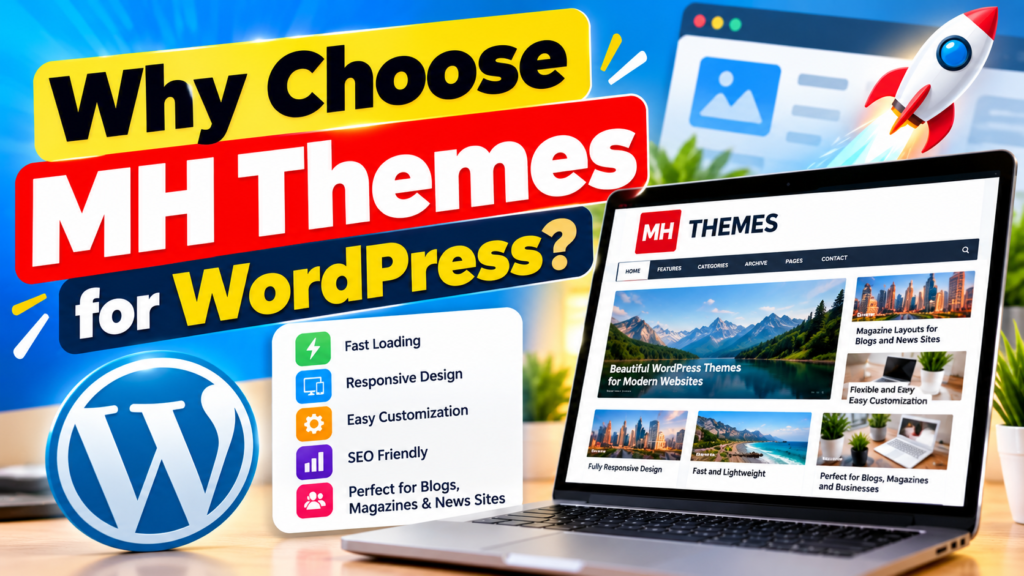

A major reason to consider MH Themes is its focus on content-heavy WordPress websites. A news portal, online magazine, technology blog, review website, or information site often has hundreds or thousands of posts, so visitors need a clear way to discover content. A well-structured theme can make categories, featured articles, recent posts, and related content easier to access.
However, the theme itself cannot guarantee excellent performance. Website speed also depends on hosting, image sizes, plugins, scripts, database size, and other technical factors. The practical approach is to use the theme as a clean foundation and then optimize the rest of the WordPress setup around it. This can produce a website that feels simple to visitors while still giving the site owner enough flexibility to publish different types of content. The goal should be a balance between design, speed, readability, SEO, and usability, rather than adding every available visual feature.
Planning Your WordPress Website
Before installing an MH Theme, decide what the website needs to accomplish. A blog may need a simple post layout and category menu, while a magazine site may need featured stories, multiple content sections, author information, and a larger homepage structure. Think about your visitors first: what will they want to find, and how quickly should they be able to find it? This simple question can prevent many design problems later. Create a basic structure for your homepage, categories, individual posts, contact page, about page, and any other important sections. You should also decide which features are essential and which are optional. For example, if your site is mainly an article website, a clean reading experience is usually more valuable than several animations. Planning in this way makes it easier to build a user-friendly WordPress site without filling it with unnecessary elements.
Choosing the Right MH Theme
The right theme depends on your website type, content volume, design preference, and required features. MH Themes has offered different solutions for publishers and content websites, so check the current theme details, WordPress compatibility, support options, and licensing before making a choice. A useful selection process is to first identify the type of website you are building and then compare the theme’s layout options with your needs. Look at the homepage structure, post design, navigation, widget areas, typography, responsive behavior, and customization controls. Also consider whether you actually need a feature before adding it. A theme with many options can look appealing, but unused features can make site management harder. Your ideal setup should allow you to publish content quickly while keeping the front end clean and easy to understand.
Key Features of MH Themes
- Responsive Design: MH Themes are designed to provide a smooth browsing experience across desktops, tablets, and smartphones.
- Fast Loading: A clean theme setup can help create a lightweight and faster WordPress website.
- User-Friendly Layout: Clear layouts make it easier for visitors to find articles, categories, menus, and other important content.
- SEO-Friendly Structure: A well-organized theme can support better content structure, headings, navigation, and internal linking.
Setting Up an MH Theme
Once you have selected your theme, install WordPress on reliable hosting and keep the initial setup simple. Before making major changes, create a backup so you can restore the website if something goes wrong. Install the MH Theme through the normal WordPress theme process and review its available settings before changing everything at once. Start with basic elements such as the site logo, title, colors, typography, menus, widgets, homepage layout, and footer. It is better to make a few changes, test the site, and then continue than to change dozens of settings without checking the result. Pay attention to how the site looks on both desktop and mobile screens. A website that looks excellent on a large monitor can still provide a poor experience on a phone if text is too small, menus are difficult to use, or images extend beyond the screen.
Customizing the Theme
Customization should support your brand and content instead of competing with it. Choose a small set of colors and fonts and use them consistently across the site. Your logo should be clear, but it should not take up most of the first screen. Headlines need to be easy to scan, while body text should have enough spacing for comfortable reading. Avoid adding large sliders, auto-playing media, excessive pop-ups, or decorative effects unless they have a clear purpose. These elements can increase page complexity and distract visitors from the content. An effective MH Theme setup should feel natural: visitors should immediately understand what the website is about, where the main menu is, and where they can find the latest or most useful content.
Improving WordPress Speed
Website speed is one of the most important parts of a good user experience. Google explains that Core Web Vitals are used to measure important parts of page experience, including loading performance, responsiveness, and visual stability. Current Core Web Vitals include Largest Contentful Paint (LCP), Interaction to Next Paint (INP), and Cumulative Layout Shift (CLS). These measurements give website owners useful signals for understanding how pages behave for real users. A fast website is not created by one setting, however. You need to look at the entire setup, including hosting, theme configuration, images, plugins, fonts, scripts, caching, and database performance. When building with an MH Theme, begin with a simple setup and add features only when they provide real value.
Optimizing Images and Media
Large images are a common cause of slow WordPress pages. A magazine or blog can easily contain several images on a single page, and uploading each one at its original camera or design size can create unnecessary data. Before uploading an image, resize it to a suitable display size and use a modern format when appropriate. WordPress also supports responsive image handling, which can help browsers select suitable image sizes for different screens. You should also avoid using huge background images simply because they look attractive in a design mockup. Compress images while keeping acceptable visual quality, and pay particular attention to the main image visible when the page loads. Good image management can reduce page weight without changing the site’s basic design.
Using Caching and Lightweight Plugins
Caching can reduce the amount of work WordPress has to perform when serving pages to visitors. Depending on your hosting environment, you may use server-side caching, a WordPress caching plugin, or both. The correct configuration depends on your host, so avoid turning on every optimization option without testing. Plugins deserve the same careful treatment. Each plugin can add scripts, styles, database queries, or other processing, so installing many plugins simply because they are available can make the site harder to maintain. Keep only plugins that have a clear purpose, update them regularly, and remove plugins that you no longer need. A clean MH Themes WordPress setup with a sensible plugin list is easier to optimize and troubleshoot than a site overloaded with features.
Creating a User-Friendly Navigation
Navigation should help visitors answer one question quickly: Where do I go next? Your primary menu should contain the most important sections of the website rather than every page you have created. For a content site, categories such as Technology, Business, Reviews, Guides, or News may be more useful than a long list of individual pages. Use clear names instead of creative labels that visitors may not understand. Keep important pages such as About and Contact easy to find, but avoid making the header crowded. A well-organized navigation system also helps search engines understand the relationship between different pages. When visitors can move from a category to an article and then to related content without confusion, the site becomes easier to use and more useful.
Designing Menus and Content Structure
The homepage should guide visitors toward your important content. You can use featured articles, category sections, recent posts, and related content to create a logical path through the site. Avoid displaying everything at once because too much information can make a homepage feel crowded. Instead, create visual levels: the most important content first, supporting content below it, and additional information further down. Article pages should also have a clear hierarchy with a title, introduction, headings, images, body content, and related articles where useful. This structure is particularly helpful for long-form websites because visitors often scan before deciding whether to read an entire article. A clean content structure can therefore improve both usability and engagement without requiring complicated design elements.
Improving SEO with MH Themes
A theme can provide the structure for SEO, but it does not automatically make every page rank well. Your SEO strategy should include useful content, descriptive titles, logical headings, internal links, image optimization, readable URLs, appropriate metadata, and a clear site structure. Use one main topic for each article and organize supporting information under relevant headings. Avoid repeating keywords unnaturally because search engines and readers both prefer useful content over keyword stuffing.
Internal links are also important for content-focused sites because they connect related articles and help users discover more information. You can use an SEO plugin if you need additional controls, but remember that the plugin is only a tool; the quality and usefulness of the actual content still matter.
For a site using MH Themes, pay attention to the homepage title, category pages, post titles, featured images, author information, and archive structure. Make sure important pages can be reached through normal links and are not hidden behind unnecessary scripts. Create descriptive image alt text when the image communicates useful information. At the same time, do not write alt text simply to insert keywords. Think of it as a short description that helps users who cannot see the image understand its purpose. When SEO and usability work together, the website becomes easier for both visitors and search engines to understand.
Making Your Website Mobile-Friendly
Mobile design is no longer an optional feature for most websites. Visitors may reach your WordPress site from phones, tablets, laptops, and large desktop screens, so the layout needs to adapt to different screen sizes. Responsive themes help by changing layouts according to the available screen space, but you should still test your actual pages. Check menus, buttons, images, tables, advertisements, forms, and text spacing on smaller screens. A page can technically be responsive while still being frustrating to use if buttons are too close together or content requires horizontal scrolling. Google also recommends using responsive web design as a way to serve the same content across devices while adapting the presentation to screen size.
Improving Security and Maintenance
A fast website also needs regular maintenance. Keep WordPress, your theme, plugins, and PHP environment supported and updated according to your hosting and software requirements. Before major updates, create a backup and test important functions after the update. Security also means limiting unnecessary plugins and using strong administrator credentials. If several people manage the website, give each person only the access they actually need. Regular backups are particularly important because even a well-managed website can experience hosting problems, software conflicts, or accidental changes. A maintenance routine may seem boring compared with choosing colors and layouts, but it protects the work that has gone into your website.
Also Read
Understanding the Features and Benefits of Manfrotto Products
Why Tech Enthusiasts Are Exploring Deals on GeekBuying
How Investors Can Use Square Off to Manage Their Trading Positions
How ZipRecruiter Is Changing the Modern Online Job Search Experience
Why Mac Users Are Exploring Mackeeper for Digital Device Maintenance
Testing Website Performance
Do not judge performance only by how quickly your homepage feels on your own computer. Test important pages using tools that measure loading behavior and identify technical problems. Google’s PageSpeed Insights provides performance information and reports related to Core Web Vitals, while Chrome’s Lighthouse can help developers audit performance, accessibility, SEO, and other areas. Test the homepage, a category page, a normal article, and any page that contains special elements such as forms or large images. After making changes, test again rather than assuming the change improved the site. This creates a simple improvement cycle: test, identify, fix, test again.
A useful performance checklist includes image sizes, unused plugins, caching, server response time, font loading, JavaScript, CSS, redirects, and third-party services. Advertising networks, analytics tools, social widgets, chat systems, and external fonts can all affect page performance. That does not mean you should remove every external service, but you should understand its cost. If a feature adds little value but creates a noticeable performance problem, removing it may be more useful than trying to optimize it endlessly.
How MH Themes Can Improve the User Experience
A good WordPress website should not only look attractive; it should also feel easy to use. MH Themes can provide a structured layout where visitors can quickly find categories, recent posts, featured content, and important pages. This is especially useful for blogs and magazine-style websites where a large amount of content needs to be organized clearly. When visitors can move from one article to another without confusion, they are more likely to explore additional pages. Simple navigation, readable typography, clear headings, and well-spaced content can make a noticeable difference to the overall experience.
MH Themes for Blogs and Magazine Websites
Content-focused websites need a layout that can handle different types of articles without making the homepage look crowded.
can be used for blogs, online magazines, news websites, technology websites, review sites, and other publishing projects. A magazine-style layout allows website owners to highlight important stories while still displaying recent and category-based content. You can organize your homepage around your main topics and use featured sections to guide visitors toward important articles. This approach makes the website easier to browse and gives your content a more organized appearance.
Common Mistakes to Avoid
One of the biggest mistakes is choosing design over usability. A beautiful homepage filled with sliders, animations, large images, and pop-ups may look impressive but can become difficult to use. Another common problem is installing too many plugins. WordPress gives users access to a huge ecosystem, but not every available plugin belongs on your site. Poor image optimization, outdated software, weak navigation, unnecessary widgets, and complicated menus can also reduce the quality of the visitor experience.
Another mistake is failing to test the website after changes. A new plugin may affect your menu, a theme update may change a layout, or a large image may slow down a page. Test important functions regularly and keep backups available. Also remember that website optimization is not a one-time task. Content grows, plugins change, traffic changes, and web standards evolve. A good WordPress performance strategy should therefore be treated as an ongoing process rather than a single setup step.
Conclusion
Building a fast and user-friendly WordPress website with MH Themes starts with choosing a suitable theme and then keeping the entire website setup simple. The theme provides the design foundation, but speed and usability depend on many other factors, including hosting, images, plugins, caching, mobile design, navigation, and maintenance. Focus on making important content easy to find, pages comfortable to read, and features useful rather than simply impressive. Regular performance testing can help you identify issues before they become major problems. With a clean MH Theme setup, optimized media, sensible plugins, responsive design, and a clear content structure, you can create a WordPress website that is easier for visitors to use and easier for you to manage.
Frequently Asked Questions
Yes. MH Themes has focused strongly on content-based WordPress websites such as blogs, magazines, news sites, and online publications. The suitability of a particular theme depends on your required layout, features, customization options, and current WordPress compatibility.
A lightweight and well-configured theme can help, but a theme alone does not determine website speed. Hosting, images, plugins, caching, scripts, fonts, and server configuration can all affect performance. For the best results, optimize the complete WordPress setup.
Start by optimizing images, reducing unnecessary plugins, enabling suitable caching, using reliable hosting, and limiting unnecessary scripts. Then test important pages with performance tools and fix the largest problems first.
MH Themes has provided responsive WordPress themes designed to adapt to different screen sizes. However, you should test your specific website after customization because plugins, widgets, advertisements, and custom code can affect mobile usability.
Yes. An MH Theme can provide a useful design and content structure for an SEO-focused website, but rankings depend on much more than the theme. Content quality, technical SEO, internal linking, site performance, mobile usability, search intent, and overall website quality all matter.
Table of Contents
Popular Posts

-
 Affordable Technical SEO Audit for Small Business: A Complete Guide26 Jun 2025 Blog
 -
 How to Get an Affordable Technical SEO Audit for Small Business27 Jun 2025 Blog
 -
 Local SEO Audit Checklist for Startups: A Beginner’s Guide28 Jun 2025 Blog
 -
 The Ultimate Local SEO Audit Checklist for Startups28 Jun 2025 Blog
 -
 Top On-Page SEO Audit Steps for Service Websites Every Business Should Know29 Jun 2025 Blog
 -
 The Impact of On-Page SEO Audit Steps for Service Websites on UX01 Jul 2025 Blog
 -
 Technical SEO for WordPress: The Ultimate Beginner’s Guide01 Jul 2025 Blog
 -
 Technical Mobile SEO Audit Tips for Developers02 Jul 2025 Blog
Related Post