


How VirtualPBX Can Improve Business Communication

Discover how VirtualPBX can improve business communication with cloud-based calling, call routing, messaging, mobile apps, AI-powered tools, and seamless integrations. Learn how VirtualPBX helps businesses connect teams, improve customer service, support remote work, and manage communication more efficiently.
Table of Contents
What Is VirtualPBX?
VirtualPBX is a cloud-based business communication platform that provides companies with phone, messaging, routing, voicemail, conferencing, and related communication tools without requiring a traditional office telephone infrastructure. Instead of connecting every employee to a fixed desk phone, a cloud PBX connects users through internet-based applications and devices. This makes it easier for employees to communicate from an office, home, shared workspace, or another location with a reliable internet connection. VirtualPBX says its service has been operating since 1997 and is designed particularly around small and growing businesses.
The basic idea is simple: your business phone number becomes a flexible communication system rather than a single physical telephone line. Employees can use desktop applications, mobile applications, a browser-based phone, or compatible desk phones. Businesses can also create call-routing rules so incoming calls reach the appropriate employee or department. VirtualPBX currently advertises its Smarter Voice plan at $15 per user per month, with features such as auto attendants, ring groups, voicemail transcription, call recording, conferencing, softphone access, web calling, SMS and integrations.
How Cloud-Based Business Calling Works


Traditional business phone systems often depend heavily on physical equipment installed inside an office. Cloud communication takes a different approach. Calls are managed through online infrastructure, allowing employees to use a business number across multiple supported devices. For example, an employee might answer a call through a desktop application during working hours and then use the mobile application when away from the desk.
This flexibility can be especially useful for businesses with remote employees or teams that regularly move between locations. VirtualPBX explains that its call-routing system assigns extensions to people rather than tying them permanently to physical phones. Employees can therefore decide which phone or device should receive their business calls.
Why Business Communication Needs a Modern Approach
Communication is one of those business functions that can quietly affect almost everything else. When customers cannot reach the right person, employees waste time forwarding calls, and important messages sit inside individual inboxes, small communication problems can quickly become operational problems. A modern phone system should therefore do more than simply connect two people. It should help businesses organize calls, route customers, support employees, and maintain a consistent experience.
This becomes even more important when teams work across different locations. A customer should not have to know whether an employee is sitting in the company office, working from home, or traveling. Ideally, the business number and communication process remain consistent. VirtualPBX is designed around this model, allowing users to make and receive business calls through desktop, mobile, and browser-based options.
Problems With Traditional Phone Systems
Older phone setups can become difficult to manage as a company grows. Adding employees may require additional hardware, extensions, wiring, configuration, and maintenance. A remote employee may also need call forwarding or another workaround to receive office calls. These limitations can make a simple communication task more complicated than it needs to be.
Cloud-based systems reduce much of this physical dependency. Instead of thinking about a phone as a device sitting on a desk, businesses can think about a phone extension as belonging to an employee. That distinction gives companies more flexibility when employees change locations or work schedules.
VirtualPBX also supports existing business numbers, meaning businesses can potentially move their number into the service instead of starting with a completely new identity. The company states that its number-porting process is designed to keep the existing service active until the transfer is completed.
Key VirtualPBX Features for Businesses
The biggest advantage of VirtualPBX is not simply having internet-based calling. The platform combines several communication functions into one business phone environment. Current VirtualPBX information lists features including auto attendants, ring groups, voicemail and transcription, call recording, conferencing, call forwarding, softphones, web phones, SMS, webchat, CRM integrations, reporting, dashboards, and API access.
That combination can make communication easier to manage. Instead of employees switching between unrelated systems for basic business communication, many everyday tasks can be handled through the same ecosystem. A company might use call routing for incoming calls, voicemail transcription for missed calls, call recording for selected conversations, and CRM integration for customer-related workflows.
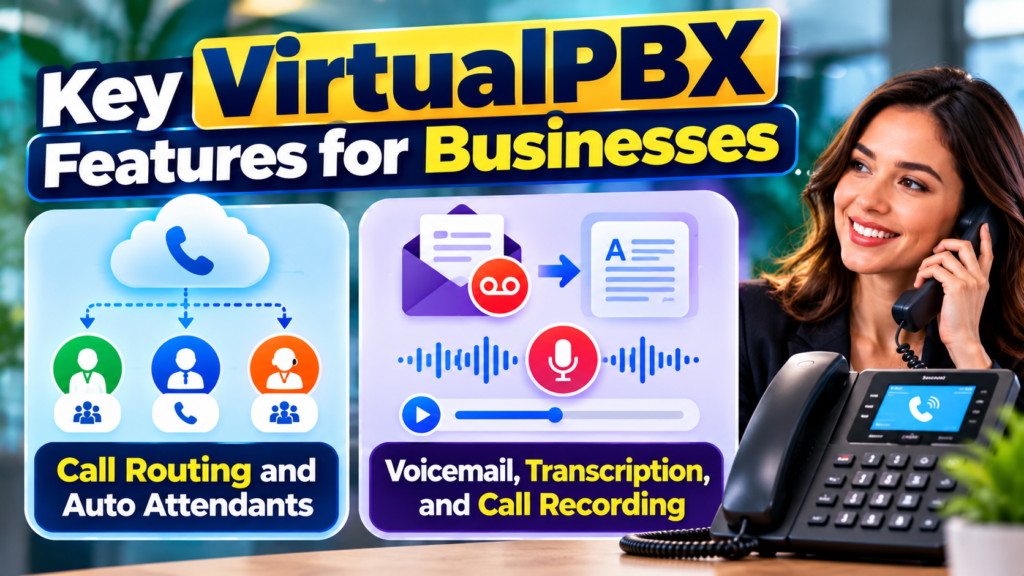
Call Routing and Auto Attendants
Call routing is particularly useful when a company has several departments or employees handling different types of customer requests. Rather than sending every caller to one general line, a business can create rules that direct calls to specific people, groups, or destinations. VirtualPBX supports features such as ring groups, follow-me calling, multi-level auto attendants, and custom greetings.
An auto attendant can provide callers with a structured way to reach the appropriate department. For example, a business could create options for sales, customer support, billing, and general inquiries. Ring groups can then allow multiple employees to receive calls according to the company’s chosen configuration.
This helps reduce unnecessary transfers and gives businesses greater control over their incoming call flow. For a growing company, that can be much easier than manually deciding who should answer every call.
Voicemail, Transcription, and Call Recording
Missed calls do not always mean lost opportunities, but poor follow-up can certainly create problems. VirtualPBX provides voicemail functionality along with transcription options, allowing teams to review messages without necessarily listening to every recording. The platform also supports call recording, which can be useful for selected business processes such as training, quality review, or keeping a record of conversations where appropriate.
Call recording should always be configured with applicable legal and privacy requirements in mind. Businesses should make sure employees understand when calls are recorded and what information can be stored. Used responsibly, these features can help teams remember important details and improve internal processes.
How VirtualPBX Supports Remote and Hybrid Teams
Remote and hybrid work have changed what employees expect from business communication systems. A phone system that works only when someone is physically sitting at a particular desk is not particularly useful for a distributed team. VirtualPBX addresses this by allowing employees to use business communication tools through mobile devices, desktop applications, and web browsers.
The benefit is straightforward: employees can maintain a professional business identity without relying on personal phone numbers. A salesperson working from home can answer a customer using the company’s number, while another employee can handle the same business line from a different location. The customer sees a consistent business identity even though the employees may be working from different places.
Mobile and Desktop Business Apps
VirtualPBX currently offers applications for iOS and Android, along with a browser-based Web Phone. Its mobile application allows users to make and receive business calls using their business number, manage voicemail, access company contacts, and set availability or status.
VirtualPBX also announced a new mobile softphone application in July 2026, describing it as a way for iPhone and Android users to make and receive business calls while keeping business calls separate from their personal number.
For companies with hybrid teams, this can make communication more consistent. Employees do not necessarily need to carry separate physical phones for every work situation. The system can instead follow the employee across supported devices.
Improving Customer Service With VirtualPBX
Customer communication is where a business phone system can make a noticeable difference. Customers usually want to reach the right person without navigating an unnecessarily complicated process. A well-designed phone system can route calls quickly, provide useful information, and make sure unanswered calls have a defined next step.
VirtualPBX provides call routing, ring groups, voicemail, call recording, and AI-powered call handling options. The company says its AI tools can answer routine questions, collect information, route calls, and involve human employees when required.
AI Receptionist and Call Handling
VirtualPBX’s AI Voice and AI FrontDesk offerings add another layer to business communication. The company describes AI employees that can handle specific jobs, follow business rules, answer routine questions, and transfer callers to human team members when necessary. Its AI Voice offering is currently advertised at $99 per month for an AI employee plus phone service for up to five people, with no per-call or per-minute AI charges according to VirtualPBX.
The practical value is easiest to understand during busy periods. Imagine a small company receiving more calls than its employees can answer. Instead of every unanswered call immediately becoming voicemail, an AI receptionist can handle selected routine requests and route relevant conversations to the team.
Benefits and Limitations of VirtualPBX
VirtualPBX can improve business communication by bringing calling, routing, voicemail, messaging, applications, integrations, and AI options into a cloud-based environment. Its mobile and browser options are particularly relevant for distributed teams, while call routing and auto attendants can help businesses organize incoming customer calls. The addition of AI tools gives businesses another option for handling routine calls and overflow periods.
There are also practical considerations. Cloud phone systems depend on internet connectivity, and businesses should plan for network reliability. AI communication should be configured carefully so that customers can reach human employees when a situation goes beyond the system’s intended scope. Businesses should also review compliance, privacy, call-recording requirements, messaging regulations, and data-handling practices for their particular location and industry.
What Businesses Should Consider Before Choosing It
Before moving to VirtualPBX, businesses should identify their communication requirements rather than selecting features simply because they are available. Think about the number of users, expected call volume, remote-work needs, customer-service process, existing business number, CRM, messaging requirements, and reporting needs.
A useful evaluation checklist includes:
- Number of users: How many employees need business calling?
- Devices: Will employees use mobile phones, computers, desk phones, or a combination?
- Call management: Do you need auto attendants, ring groups, queues, or advanced routing?
- Messaging: Will customers communicate through SMS or webchat?
- Automation: Would AI answering or automated workflows save meaningful staff time?
- Integrations: Does the system work with your CRM and other important applications?
- Reporting: Do managers need call logs, dashboards, or advanced analytics?
- Budget: Which features are essential, and which can wait?
This approach prevents businesses from paying for technology they do not actually need. It also makes implementation easier because the communication system is built around real workflows instead of a long list of features.
Business Texting and Webchat
Phone calls are only one part of modern business communication. Customers increasingly use text messages and website chat for quick questions, updates, confirmations, and support. VirtualPBX’s VirtualText combines business texting, webchat, shared conversations, and AI assistance within a shared workspace.
This can be useful because customer conversations do not always fit neatly into one channel. Someone might discover a company through its website, begin a webchat conversation, and later continue the conversation through SMS. VirtualText is designed to maintain conversation history across these interactions, helping team members understand the context before responding.
Keeping Customer Conversations Organized
A shared inbox can reduce the problem of messages becoming tied to one employee. When conversations are centralized, another authorized team member can step in and see the previous discussion rather than asking the customer to repeat everything.
VirtualText currently lists plans starting at $99 per month for Connect, with higher plans for additional users and channels. These are separate from the basic Smarter Voice pricing, so businesses should evaluate which communication services they actually need before estimating their total cost.
Also Read
How to Make the Most of Every Drop in Your Daily Routine
Why Tech Enthusiasts Are Exploring Deals on GeekBuying
The Ultimate Guide to Getting Started With Instacart – Shoppers
The Future of Urban Transportation and the Growing Role of JOBY
How Pierre et Vacances Combines Comfort, Nature, and Holiday Experiences
VirtualPBX Integrations and Business Workflows
Communication becomes more powerful when it connects with other business software. A phone system that exists completely separately from customer records can force employees to copy information manually. Integrations can reduce that repeated work by connecting communication activity with the systems employees already use.
VirtualPBX currently lists integrations with services including Zoho, Zendesk, Salesforce, Microsoft Teams, Dynamics, Clio, and Freshdesk, along with Zapier, webhooks, and API access.
CRM, API, and Automation Integrations
Consider a simple sales example. A potential customer calls a business, and the sales team needs to record the conversation and update the customer’s information. When the communication platform can connect with the CRM, employees may spend less time switching between applications and entering the same information repeatedly.
Webhooks and APIs can also support customized workflows. Businesses with technical resources can connect communication events with internal systems or automation tools. VirtualText, for example, describes webhook capabilities that can trigger workflows when messaging events occur.
This flexibility is valuable because every company operates differently. A small service company may only need basic calling, while a growing support team may need routing, reporting, CRM integration, messaging, and automation.
VirtualPBX Pricing and Scalability
Pricing is an important part of evaluating any communication platform. VirtualPBX currently lists Smarter Voice at $15 per user per month, with a 14-day money-back guarantee and features including calling, auto attendants, ring groups, voicemail, call recording, conferencing, softphones, web calling, SMS, and integrations.
VirtualPBX option | Current advertised price | Main purpose |
Smarter Voice | $15/user/month | Business phone system |
AI Voice | $99/month | AI employee + phone service for up to 5 people |
VirtualText Connect | $99/month | SMS and webchat |
VirtualText Engage | $299/month | SMS, webchat, and voice for larger teams |
VirtualText Workspace | $499/month | Broader omnichannel communication |
Comparing Core Communication Costs
The important question is not simply, “How much does VirtualPBX cost?” A better question is, “Which communication problems do I need to solve?” A small company may only need a business phone system and mobile app. Another company may benefit from AI call handling, shared messaging, advanced reporting, or CRM integrations.
VirtualPBX’s modular approach can make it possible to start with basic business calling and add additional capabilities as communication needs become more complex. The company also advertises no-contract monthly service for its core offering.
This can be useful for growing businesses because communication requirements often change faster than office infrastructure. Instead of buying a large system before it is needed, companies can assess their needs and expand gradually.
Conclusion
VirtualPBX can improve business communication by making business calling more flexible, organized, and accessible across different work environments. Its cloud-based structure allows employees to use business communication tools from mobile devices, desktops, browsers, and supported phones. Features such as call routing, auto attendants, voicemail transcription, call recording, conferencing, and integrations can help businesses create a more structured communication process.
Its newer AI and messaging capabilities expand that model beyond traditional phone service. AI Voice and AI FrontDesk can help handle routine calls and overflow, while VirtualText brings SMS and webchat into a shared communication environment.
Frequently Asked Questions
VirtualPBX is used for business communication through cloud-based phone and messaging services. Businesses can use features such as business calling, call routing, auto attendants, voicemail, conferencing, call recording, mobile and desktop applications, SMS, webchat, and integrations.
VirtualPBX currently advertises its Smarter Voice plan at $15 per user per month. Additional services, such as AI Voice and VirtualText, have separate pricing. Because plans and features can change, businesses should check the current pricing page before purchasing.
Yes. VirtualPBX provides mobile, desktop, and browser-based communication options. Employees can use business calling tools without being tied to one physical office phone, which makes the platform suitable for remote and hybrid work environments.
Yes. VirtualPBX offers AI Voice and AI FrontDesk solutions that can handle selected calls, answer routine questions, collect information, and route callers to employees when human assistance is required. VirtualPBX currently lists AI Voice at $99 per month for an AI employee plus phone service for up to five people.
Yes. VirtualPBX currently lists integrations with CRM and business platforms including Salesforce, Zoho, Zendesk, Microsoft Teams, Dynamics, Clio, and Freshdesk. It also offers tools such as Zapier, webhooks, and API access for additional workflows.
Table of Contents
Popular Posts

-
 Affordable Technical SEO Audit for Small Business: A Complete Guide26 Jun 2025 Blog
 -
 How to Get an Affordable Technical SEO Audit for Small Business27 Jun 2025 Blog
 -
 Local SEO Audit Checklist for Startups: A Beginner’s Guide28 Jun 2025 Blog
 -
 The Ultimate Local SEO Audit Checklist for Startups28 Jun 2025 Blog
 -
 Top On-Page SEO Audit Steps for Service Websites Every Business Should Know29 Jun 2025 Blog
 -
 The Impact of On-Page SEO Audit Steps for Service Websites on UX01 Jul 2025 Blog
 -
 Technical SEO for WordPress: The Ultimate Beginner’s Guide01 Jul 2025 Blog
 -
 Technical Mobile SEO Audit Tips for Developers02 Jul 2025 Blog
Related Post