

Miro Explained: Everything You Need to Know Before Getting Started
in the same office. Traditional meetings, paper notes, and endless email conversations are often not enough for fast-moving teams. This is where Miro comes in. Miro is an online visual collaboration platform that helps people create ideas, organize projects, design workflows, and communicate with teammates in one digital space.
Whether you are a student, designer, developer, business owner, marketer, or part of a remote team, Miro provides a flexible workspace where you can turn ideas into clear visual plans. It works like a digital whiteboard but includes advanced tools for project planning, brainstorming, research, and team collaboration.
Table of Contents
What Is Miro?
Miro is a cloud-based online whiteboard platform designed for visual collaboration. It allows users to create digital boards where they can add text, images, documents, diagrams, charts, sticky notes, and many other elements. Instead of writing ideas on a physical board during a meeting, teams can now collaborate on the same online canvas from anywhere in the world.
The platform was launched in 2011 and has become popular among companies that use remote and hybrid working models. Miro helps teams organize thoughts visually, making complicated ideas easier to understand. For example, a product team can use Miro to create a product roadmap, while a marketing team can use it to plan campaigns.
Miro’s adaptability is one of its main benefits. Users are not limited to a specific working style. You can use it for simple brainstorming sessions or complex business planning activities. The platform supports different industries, including software development, education, consulting, design, and project management.
Miro can be accessed through a web browser, desktop applications, and mobile devices. This makes it easy for teams to stay connected and continue working even when members are located in different countries.
How Miro Works for Teams and Individuals


Miro works through digital boards called Miro Boards. Each board acts as an unlimited workspace where users can place and arrange different types of content. Team members can join the same board and work together in real time.
For example, during a brainstorming session, one person can add ideas using sticky notes while another person creates diagrams or organizes information. Everyone can see updates instantly, which creates a more interactive experience compared to traditional meetings.
Miro also allows users to control access permissions. You can keep boards private, share them with specific team members, or allow external users to view and comment. This makes it useful for both internal teams and client collaboration.
The platform is designed to reduce confusion and improve communication. Instead of explaining ideas through long messages, users can create visual representations that are easier to understand.
Why Businesses Use Miro
Businesses use Miro because it improves teamwork and helps employees communicate ideas more clearly. In traditional workplaces, teams often depend on meetings and documents. However, visual collaboration provides a faster way to organize information.
Miro helps companies improve planning, innovation, and decision-making. Teams can create shared spaces where everyone contributes ideas regardless of location.
For product development teams, Miro can be used to research customers, design features, and plan future updates. Marketing teams can create campaign plans, while managers can build project timelines.
Large organizations also use Miro because it supports collaboration between different departments. Designers, developers, managers, and customers can work together on the same platform.
Main Features of Miro
Miro offers many features that help teams plan, communicate, and manage their work. These tools make it more than just a digital whiteboard.
Online Whiteboard Collaboration
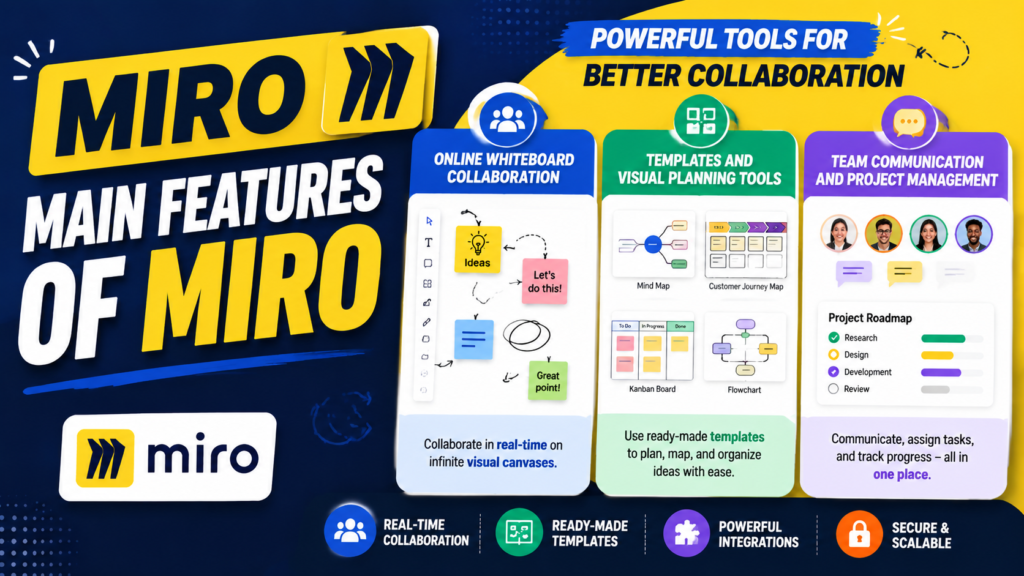
The main feature of Miro is its interactive online whiteboard. Users can create unlimited boards and customize them according to their needs. The whiteboard supports text, drawings, images, videos, documents, and charts.
Teams can use the whiteboard for activities like brainstorming, mind mapping, customer journey mapping, and planning meetings.
The ability for multiple people to edit the same board simultaneously facilitates easy and efficient collaboration.
The real-time editing feature is especially useful for remote teams. Employees do not need to wait for updates because everyone can work together instantly. This creates a virtual meeting environment where ideas can be shared freely.
Templates and Visual Planning Tools
One reason many beginners choose Miro is its large collection of ready-made templates. Templates save time because users do not need to create every board from the beginning.
Some popular Miro templates include:
- Brainstorming boards
- Project planning templates
- Flowcharts
- Mind maps
- Kanban boards
- Customer journey maps
- Business strategy frameworks
These templates help users start quickly and maintain professional-looking boards. For example, a startup can use a business model canvas template to organize its business strategy without creating a structure manually.
Team Communication and Project Management
Miro is not only useful for creative work but also supports project management activities. Teams can create workflows, track progress, and assign tasks using visual boards.
Developers often use Miro with Agile methods such as Scrum and Kanban. They can create sprint planning boards, user story maps, and workflow diagrams.
The platform also integrates with popular tools like Slack, Microsoft Teams, Jira, Google Drive, and other productivity applications. These integrations help teams connect Miro with their existing workflow.
Benefits of Using Miro
Better Brainstorming and Creativity
One major benefit of Miro is improved creativity. When people see ideas visually, they can understand relationships between different concepts more easily.
A simple text document may not show connections clearly, but a visual board can display ideas through diagrams, images, and connections. This helps teams discover new solutions.
Miro also encourages participation. During online meetings, every team member can contribute ideas instead of only listening to one speaker.
Improved Workflow Management
Miro helps teams organize tasks and improve productivity. Instead of managing information across different applications, teams can create a central workspace.
Project managers can use boards to track deadlines, responsibilities, and progress. This reduces confusion and helps everyone understand their role.
Visual project management also makes it easier to identify problems early. Teams can quickly see which tasks are delayed and take action.
Miro Pricing Plans
Miro offers different pricing options depending on user requirements.
Plan | Best For | Main Features |
Free | Individuals and small teams | Basic boards, templates, collaboration tools |
Starter | Small businesses | Unlimited boards, advanced features |
Business | Growing organizations | Team management and advanced collaboration |
Enterprise | Large companies | Security, administration, and enterprise support |
Miro Pros and Cons
Pros of Miro
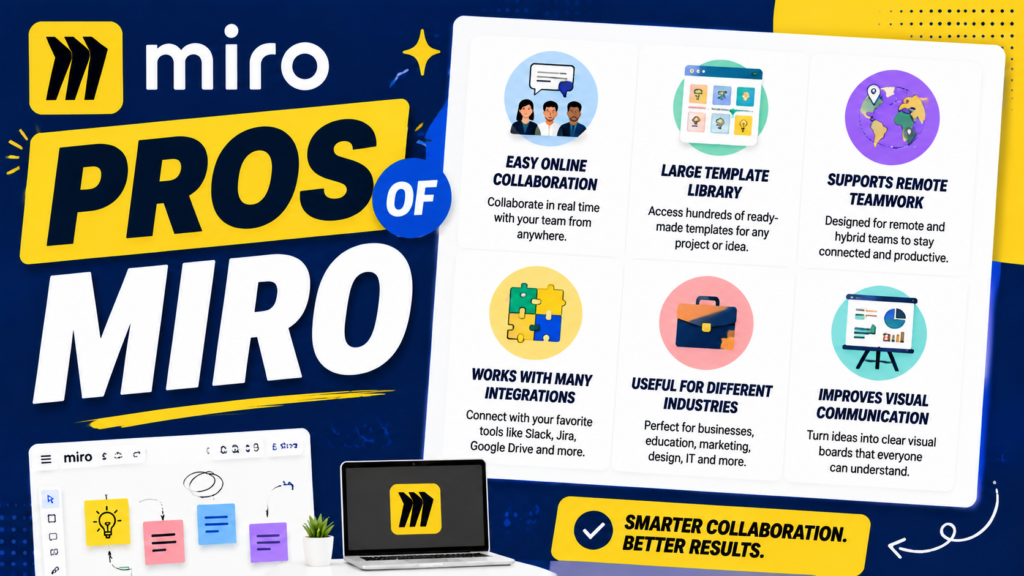
- Easy online collaboration
- Large template library
- Supports remote teamwork
- Works with many integrations
- Useful for different industries
- Improves visual communication
Cons of Miro
- Advanced features require paid plans
- Large boards may become difficult to manage
- New users may need time to learn all tools
- Internet connection is required
How to Get Started With Miro
Getting started with Miro is simple. Users can create an account and begin building their first board within minutes.
Creating Your First Miro Board
Follow these basic steps:
- Create a Miro account.
- Choose a template or start with a blank board.
- Add notes, shapes, images, or documents.
- Invite team members to collaborate.
- Organize your ideas and save your board.
Beginners should start with simple projects before exploring advanced features. Learning the basic tools first makes the platform easier to use.
Advanced Tips to Use Miro Effectively
Once you understand the basic features of Miro, you can start using advanced techniques to make your work faster and more organized. Many users only use Miro as a simple online whiteboard, but the platform can support complete workflows for planning, designing, and managing projects. By using the right templates, shortcuts, and integrations, you can turn a simple board into a powerful workspace.
One useful approach is to create separate boards for different purposes. For example, a marketing team can maintain one board for content planning, another for campaign ideas, and another for competitor research. This keeps information organized and makes it easier for team members to find what they need.
Also Read
Why Ooma Office Is a Smart Choice for Modern Business Communication
How Mackeeper Helps Improve Mac Performance and Online Privacy
Pierre et Vacances Review 2026: Features, Destinations, Pros, and Cons
Why Fleurop Is a Popular Choice for Fresh Flower Delivery
Top Benefits of Credy ES and Why Users Are Choosing It
How Different Professionals Can Use Miro
Miro is useful for many types of professionals because it adapts to different working styles. Designers often use Miro for creating user journey maps, wireframes, and design thinking activities. They can collect ideas, review feedback, and collaborate with team members in one place.
Software developers use Miro for planning development processes, creating system diagrams, and managing Agile workflows. Teams can visualize user stories, sprint planning activities, and product roadmaps.
Miro Alternatives
lthough Miro is one of the most popular visual collaboration tools, there are several alternatives available.
Tool | Best For |
Microsoft Whiteboard | Simple team collaboration |
FigJam | Design and creative teams |
Lucidchart | Diagrams and flowcharts |
Canva Whiteboard | Visual design projects |
Notion | Notes and project organization |
Is Miro Worth Using?
Miro is worth using for anyone who needs better collaboration, planning, and idea organization. It provides powerful tools while remaining simple enough for beginners.
For remote teams, Miro creates a shared digital workspace where people can work together from anywhere. Students can use it for projects, businesses can use it for planning, and creative professionals can use it for designing ideas.
If your work involves teamwork, brainstorming, or managing complex information, Miro can save time and improve communication.
Miro Security and Team Management
Security is an important factor when businesses choose collaboration software. Miro provides various security features to help organizations protect their information and control access.
Administrators can manage user permissions, control board access, and organize team members. Companies can decide who can edit, comment, or only view specific boards.
For larger organizations, Miro provides enterprise-level features such as advanced user management and security controls. These features help companies maintain safe collaboration environments while allowing teams to work efficiently.
Conclusion
Miro is a powerful online collaboration platform that helps individuals and teams organize ideas visually. With features like digital whiteboards, templates, project planning tools, and integrations, it provides a complete workspace for modern teamwork.
Whether you are working remotely, managing projects, teaching students, or developing products, Miro offers flexible tools to improve productivity. Beginners can start with the free plan and gradually explore advanced features as their needs grow.
With its easy interface and strong collaboration features, Miro has become a valuable tool for businesses and individuals who want a smarter way to work together.
Frequently Asked Questions
Miro is mainly used for online collaboration, brainstorming, project planning, visual mapping, and team communication. It helps users organize ideas through digital boards.
Yes, Miro offers a free plan with basic features. Users can upgrade to paid plans for additional tools and advanced collaboration options.
Yes, Miro can be used for project management through templates like Kanban boards, timelines, workflows, and planning frameworks.
Yes, Miro is beginner-friendly. New users can start with templates and simple boards before learning advanced features.
Popular Miro alternatives include FigJam, Lucidchart, Microsoft Whiteboard, Canva Whiteboard, and Notion.
Table of Contents
Popular Posts

-
 Affordable Technical SEO Audit for Small Business: A Complete Guide26 Jun 2025 Blog
 -
 How to Get an Affordable Technical SEO Audit for Small Business27 Jun 2025 Blog
 -
 The Ultimate Local SEO Audit Checklist for Startups28 Jun 2025 Blog
 -
 Local SEO Audit Checklist for Startups: A Beginner’s Guide28 Jun 2025 Blog
 -
 Top On-Page SEO Audit Steps for Service Websites Every Business Should Know29 Jun 2025 Blog
 -
 The Impact of On-Page SEO Audit Steps for Service Websites on UX01 Jul 2025 Blog
 -
 Technical SEO for WordPress: The Ultimate Beginner’s Guide01 Jul 2025 Blog
 -
 Technical Mobile SEO Audit Tips for Developers02 Jul 2025 Blog
Related Post