

A Complete Guide to Booking.com New Property Sign Up for Property Owners

Starting a property rental business has become easier because online travel platforms connect property owners directly with millions of travelers worldwide. Among these platforms, Booking.com is one of the most popular choices for hotels, apartments, villas, guest houses, and vacation rentals. Property owners can create a partner account, add their accommodation details, set availability, and start receiving booking requests from travelers across different countries.
If you own a property and want to increase your income through online bookings, registering on Booking.com can be a smart decision. However, many new property owners feel confused about the registration process, required documents, property information, pricing setup, and verification steps. This guide explains the complete Booking.com new property sign-up process in a simple way so beginners can easily understand how to list their property successfully.
Table of Contents
Understanding Booking.com Property Registration
Booking.com property registration allows owners and managers to promote their accommodations on a global travel marketplace. Instead of depending only on local customers, property owners can reach international and domestic travelers searching for places to stay. The platform provides a partner dashboard, known as the Booking.com Extranet, where owners can manage reservations, update prices, control availability, communicate with guests, and improve their listing.
The registration process is designed for different types of accommodation providers. Whether you operate a small homestay, a luxury hotel, an apartment, or a holiday villa, you can create a listing according to your property type. The main purpose is to provide travelers with accurate information about your accommodation while giving you tools to manage your rental business professionally.
Why Property Owners Choose Booking.com


Many property owners choose Booking.com because it provides access to a large customer base without requiring them to build their own booking website. A new property can gain visibility among travelers who are already searching for accommodation in specific locations.
Some important benefits include:
- Access to international travelers
- Easy online reservation management
- Digital payment and booking tools
- Marketing exposure through a trusted travel platform
- Ability to control prices and availability
For small property owners, Booking.com works like a digital marketplace where their accommodation can compete with larger hotels. A well-created listing with attractive photos, accurate information, and positive reviews can significantly improve booking opportunities.
Types of Properties You Can Register
Booking.com accepts many different accommodation categories. Property owners can select the option that best describes their business during registration.
Common property types include:
- Hotels
- Apartments
- Villas
- Guest houses
- Bed and breakfasts
- Homestays
- Resorts
- Hostels
- Holiday homes
Choosing the correct property category is important because it helps travelers find your listing through search filters. For example, a family searching for a vacation home may prefer an apartment or villa listing instead of a standard hotel room.
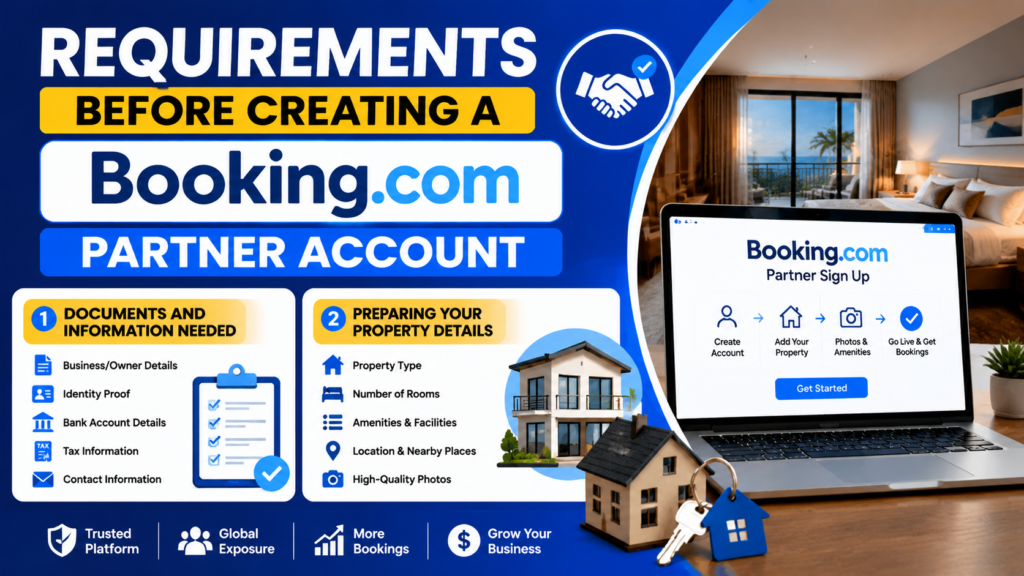
Requirements Before Creating a Booking.com Partner Account
Before starting the registration process, property owners should prepare all important details. Having the required information ready makes the sign-up process faster and avoids delays.
Booking.com generally requires property details, contact information, payment information, and verification details before publishing a listing.
Documents and Information Needed
The exact requirements may vary depending on your location and property type, but commonly required information includes:
- Property name and address
- Owner or business details
- Contact information
- Bank account details for payments
- Tax-related information if applicable
- Property photographs
- Room details
- Amenities information
For some regions, additional verification documents may be requested to confirm ownership, identity, or business operations.
Preparing Your Property Details
Before opening the registration page, collect all important information about your property. This includes the number of rooms, bed types, facilities, check-in timings, cancellation rules, and guest policies.
Good preparation helps you create a complete listing from the beginning. Incomplete listings often receive fewer views because travelers prefer properties that provide clear information.
Prepare details such as:
- Number of rooms or units
- Maximum guest capacity
- Available facilities
- Nearby attractions
- Transportation options
- House rules
A complete profile creates trust because guests feel more confident booking a property that provides detailed information.
Step-by-Step Booking.com New Property Sign Up Process
The Booking.com registration process is straightforward when completed carefully. The official partner registration platform allows new hosts to create an account and add their accommodation details step by step.
Creating Your Partner Account
The first step is creating a Booking.com partner account. Property owners need to visit the official partner registration page and start the sign-up process.
During account creation, you usually need to provide:
- Email address
- Password
- Basic contact details
After creating your account, Booking.com will guide you through adding your property information.
Using an active email address is important because Booking.com sends important notifications related to reservations, account updates, and verification.
Adding Property Information
After creating an account, the next step is adding your property details. This includes selecting your property type, entering the location, and describing your accommodation.
You need to provide accurate information because travelers use these details before making booking decisions.
Important property information includes:
- Property name
- Address
- Location map
- Room information
- Guest capacity
- Available facilities
The location information should be accurate because incorrect location details can create problems with guest arrivals and reviews.
Uploading Photos and Amenities
Photos are one of the most important parts of your Booking.com listing. Travelers usually decide whether to book a property after viewing images.
High-quality photos should show:
- Bedrooms
- Bathrooms
- Living areas
- Outdoor spaces
- Special features
Avoid uploading unclear or outdated images. Bright, professional-looking photos can make your property appear more attractive.
You should also add all available amenities, such as:
- Wi-Fi
- Parking
- Air conditioning
- Breakfast availability
- Swimming pool
- Kitchen facilities
Accurate amenities help travelers choose properties according to their needs.
Setting Prices, Availability, and Booking Policies
After adding property information, owners need to configure pricing and availability settings. These settings directly affect booking performance.
Managing Room Rates
Setting the right price is important because travelers compare multiple properties before booking. A very high price may reduce bookings, while a very low price may reduce your earnings.
Consider factors such as:
- Local competition
- Seasonal demand
- Property quality
- Special events in your area
Many successful hosts regularly update prices based on demand.
Choosing Cancellation Policies
Cancellation policies explain the rules for guests who need to change or cancel their reservations.
Common options include:
- Flexible cancellation
- Partial refund policies
- Non-refundable rates
A flexible policy may attract more guests because travelers feel safer booking. However, stricter policies can protect owners from last-minute cancellations.
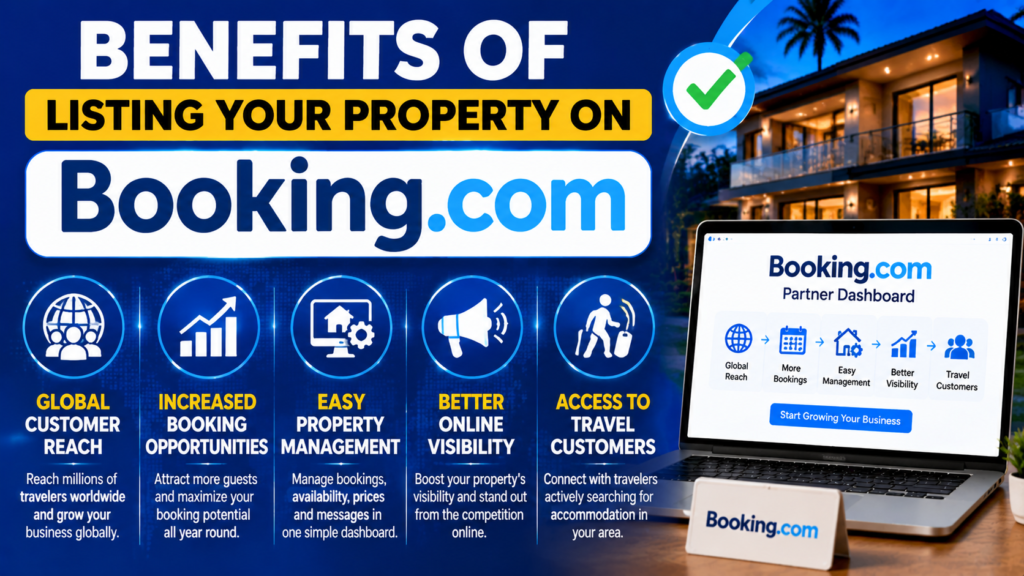
Benefits of Listing Your Property on Booking.com
Listing your property on Booking.com can help transform a small rental business into a professional accommodation service.
Major advantages include:
- Global customer reach
- Increased booking opportunities
- Easy property management
- Better online visibility
- Access to travel customers
For property owners who want to grow their income, Booking.com provides useful tools to manage reservations and attract guests.
Property Verification and Going Live
After completing the listing, Booking.com may require verification before your property becomes available for bookings. Verification helps maintain trust and improves platform security.
Booking.com Review Process
During review, Booking.com checks your property information and may request additional details.
Common verification steps include:
- Confirming property details
- Checking contact information
- Reviewing uploaded information
The approval time can vary depending on location and verification requirements.
Opening Your Property for Reservations
Once your listing is complete and approved, you can make your property available for guests. Through the Extranet dashboard, you can manage:
- Reservations
- Availability calendar
- Prices
- Guest messages
- Property updates
Keeping your calendar updated is important because incorrect availability can create booking problems.
Also Read
Make Train Travel More Affordable With Save A Train: Tips for Smart Travelers
Improve Your Digital Privacy With Ivacy VPN: Essential Tips
Discover the Key Benefits and Solutions Offered by Interfocus Inc
Smartbox: A Complete Guide to Gift Experiences and Unique Offers
Why InterMundial Is a Popular Choice Among International Travelers
Tips to Improve Your Booking.com Listing Performance
Creating a listing is only the first step. To receive regular bookings, property owners need to optimize their profile.
Writing an Attractive Property Description
A good description should explain what makes your property special. Avoid writing only basic information. Instead, describe the experience guests can expect.
For example, instead of saying:
“Room with balcony.”
You can write:
“Enjoy peaceful mornings from a private balcony overlooking beautiful surroundings.”
A detailed description helps travelers imagine their stay.
Improving Guest Experience and Reviews
Guest reviews strongly influence future bookings. Positive reviews create trust and improve your property’s reputation.
To improve reviews:
- Provide clean rooms
- Respond quickly to guest messages
- Offer accurate information
- Maintain good hospitality
- Solve guest problems professionally
A happy guest is more likely to recommend your property to others.
Common Mistakes New Property Owners Should Avoid
Many beginners make mistakes during registration and listing creation. Avoiding these problems can improve your chances of success.
Common mistakes include:
- Uploading poor-quality photos
- Adding incomplete information
- Incorrect pricing
- Ignoring guest messages
- Not updating availability
- Writing unclear descriptions
A professional listing requires continuous improvement.
How to Manage Guest Communication on Booking.com
Good communication is an important part of successful property management. Guests appreciate quick and helpful responses before and during their stay.
Property owners should:
- Reply to messages quickly
- Provide check-in instructions
- Answer questions politely
- Share important property information
- Handle complaints professionally
A positive communication experience can improve guest satisfaction and increase the possibility of receiving excellent reviews.
Payment and Commission System on Booking.com
Before listing your property, owners should understand how Booking.com payments work.
Booking.com generally earns revenue through a commission model. This means property owners pay a percentage of each successful reservation to the platform.
The commission percentage can vary depending on factors such as:
- Property location
- Accommodation type
- Partnership programs
- Market conditions
Owners should carefully review their partner agreement and understand payment schedules before accepting bookings.
Conclusion
Booking.com new property sign up is a simple process when property owners understand each step properly. From creating a partner account and adding property details to uploading photos, setting prices, and completing verification, every step plays an important role in building a successful listing.
A well-prepared property profile can attract more travelers and increase booking chances. Property owners should focus on accurate information, professional photos, competitive pricing, and excellent guest service. By using Booking.com effectively, even small accommodation businesses can reach customers from around the world and create a successful online rental presence.
Frequently Asked Questions
Yes, creating a property listing on Booking.com does not usually require an upfront registration fee. However, Booking.com charges commission on completed bookings according to the agreement and location.
The registration process can be completed quickly if you have all required information ready. Verification time may vary depending on property details and location.
Yes, Booking.com allows owners to list apartments, homes, villas, guest houses, and other accommodation types.
Professional photos are not mandatory, but high-quality images can improve guest interest and increase booking possibilities.
Yes, property managers and owners with multiple accommodations can manage several listings through Booking.com's partner tools.
Table of Contents
Popular Posts

-
 Affordable Technical SEO Audit for Small Business: A Complete Guide26 Jun 2025 Blog
 -
 How to Get an Affordable Technical SEO Audit for Small Business27 Jun 2025 Blog
 -
 Local SEO Audit Checklist for Startups: A Beginner’s Guide28 Jun 2025 Blog
 -
 The Ultimate Local SEO Audit Checklist for Startups28 Jun 2025 Blog
 -
 Top On-Page SEO Audit Steps for Service Websites Every Business Should Know29 Jun 2025 Blog
 -
 The Impact of On-Page SEO Audit Steps for Service Websites on UX01 Jul 2025 Blog
 -
 Technical SEO for WordPress: The Ultimate Beginner’s Guide01 Jul 2025 Blog
 -
 Technical Mobile SEO Audit Tips for Developers02 Jul 2025 Blog
Related Post